01
Bodyweight and waist
Log the two measurements many people check most often.
ProgressLens combines a body measurement tracker with progress photos, so weight, waist and other measurements live on the same timeline as your visual check-ins.
Body measurement tracker · Waist tracker · Weight tracker · Measurement history
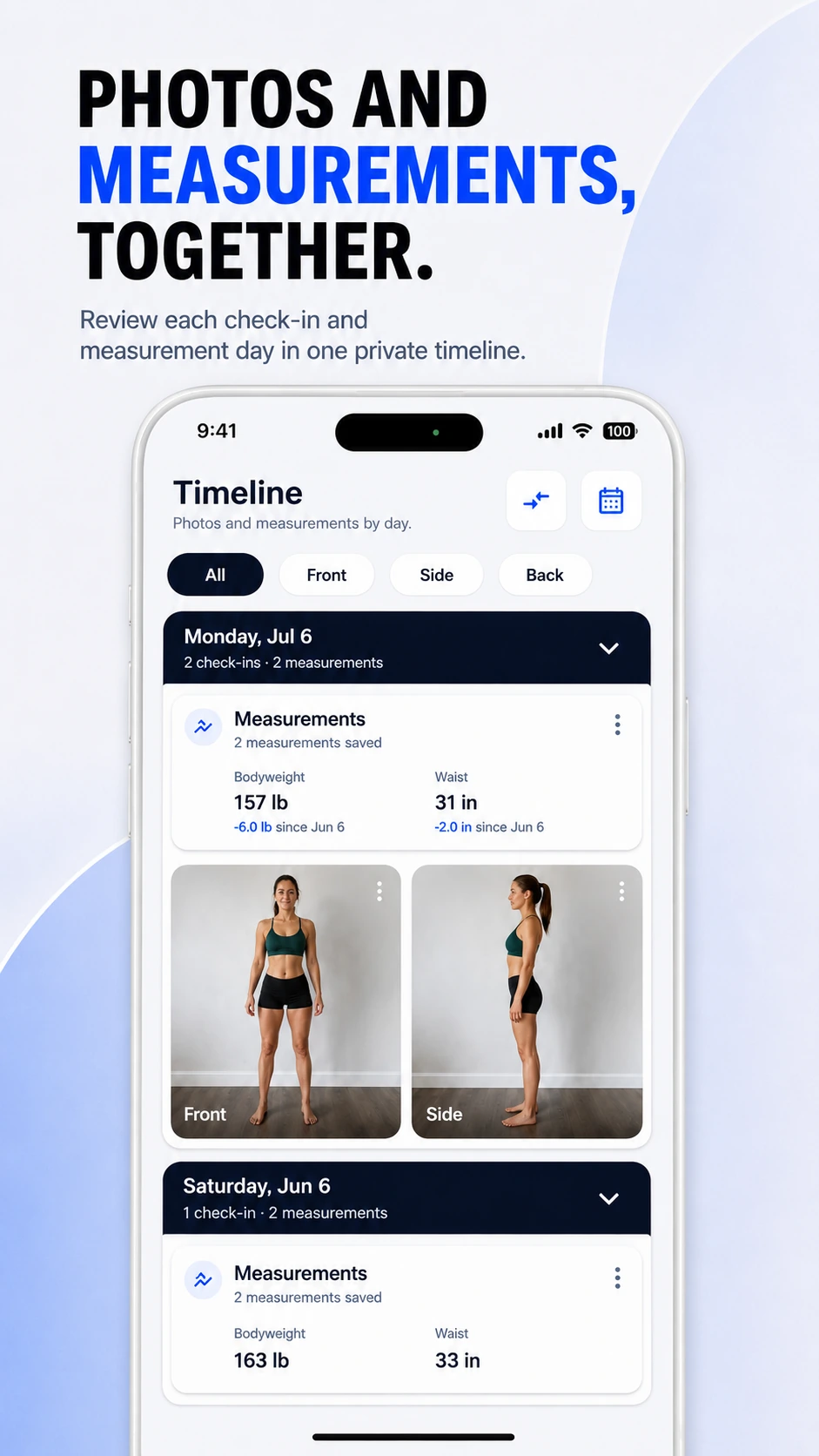
Measurements can help explain what you see in photos, especially when weight changes slowly. ProgressLens lets you record the numbers you care about without requiring a complicated fitness dashboard.
Log the two measurements many people check most often.
Add optional measurements when they are useful for your goal.
Review measurement sessions alongside the progress photos from the same period.
ProgressLens is intentionally focused: it records the photos and measurements you choose, keeps them organized, and helps you compare your own history.
Track bodyweight and waist while keeping visual check-ins beside them.
Follow arms, chest, shoulders and thighs across a training block.
Compare measurements and photos when the scale alone is not very informative.
Keep a simple history without turning your data into a public profile.
Quick answers about using ProgressLens for this kind of progress tracking.
ProgressLens supports bodyweight, waist, chest, shoulders, arms, thighs and other optional measurements.
Yes. Measurement days can be recorded independently when you only want to log a number.
ProgressLens supports historical entries so missing days can be added later.
ProgressLens is a personal tracking tool for photos and measurements. It does not diagnose health conditions or provide medical advice.
ProgressLens is designed around personal progress tracking. Keep regular records private, create a local backup when you need one, and share a comparison only when you choose.
Download ProgressLens for iPhone or Android and keep photos and measurements in one place.