01
Progress photos
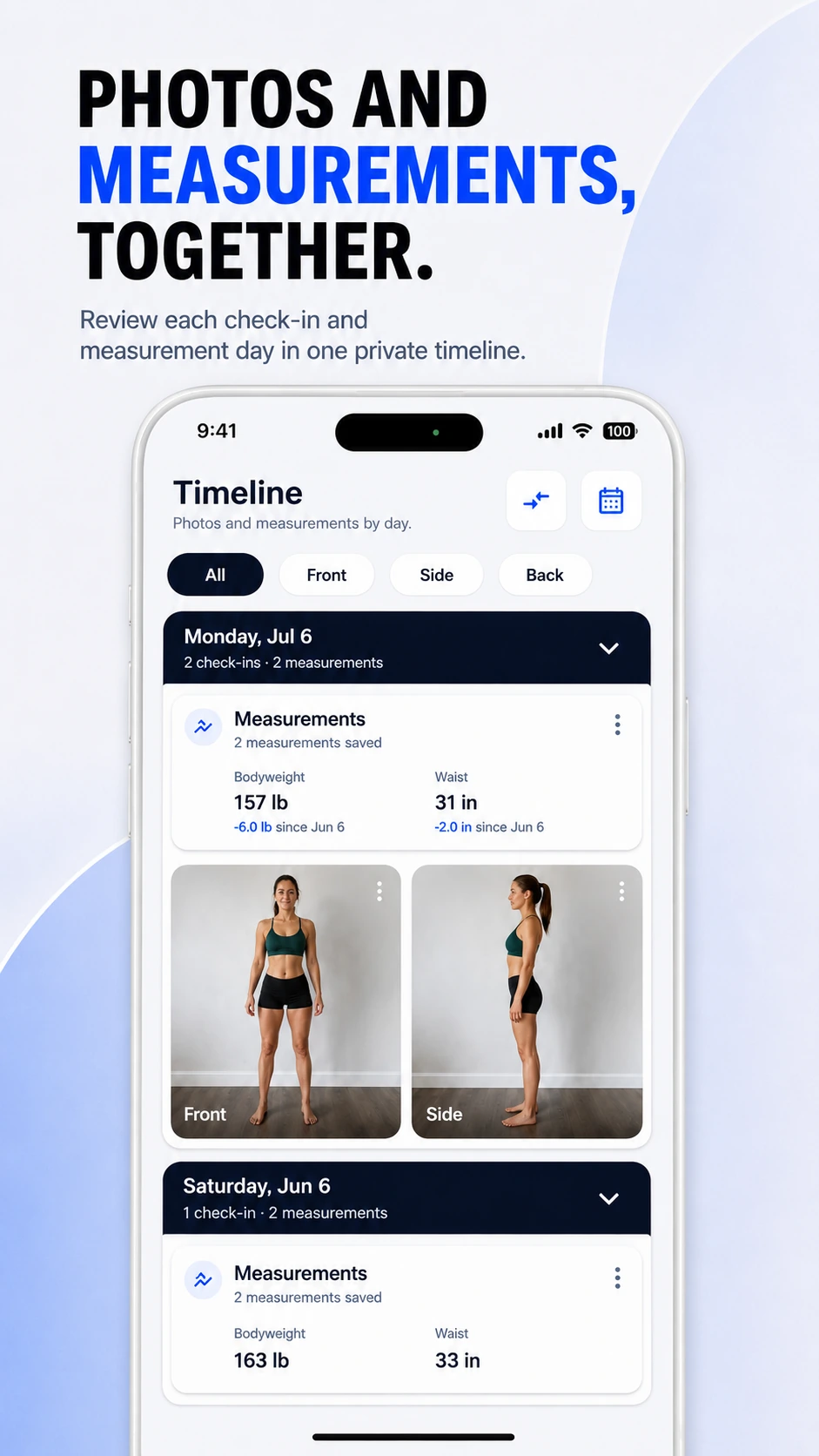
Take repeatable Front, Side, Back or custom check-ins and keep them organized by date.
If you are using a GLP-1 medication under clinician guidance, ProgressLens can help you document visible change with consistent progress photos, bodyweight, waist measurements, and before-and-after comparisons — without trying to manage medication or give medical advice.
GLP-1 progress photos · GLP-1 weight loss progress · Semaglutide progress photos · Tirzepatide progress photos
Many GLP-1 apps focus on injections, doses, side effects and food. ProgressLens has a narrower job: helping you keep a clean visual and measurement history of the body changes you choose to record.
Take repeatable Front, Side, Back or custom check-ins and keep them organized by date.
Log bodyweight and waist measurements beside the photo timeline.
Compare two points in your journey without relying only on the latest number on the scale.
ProgressLens is intentionally focused: it records the photos and measurements you choose, keeps them organized, and helps you compare your own history.
Use ProgressLens to document visual and measurement changes while following your clinician's treatment plan.
Keep body check-ins and measurements in a private timeline alongside whatever medical tracking system you already use.
ProgressLens can be used as a visual progress journal; it does not track doses or replace medication-specific apps.
Record photos and measurements without receiving dosing recommendations, treatment advice or medical interpretation.
ProgressLens does not track doses, injections, side effects, medication schedules, treatment response, or provide medical advice. Medication names such as Ozempic®, Wegovy®, Mounjaro® and Zepbound® are trademarks of their respective owners. ProgressLens is independent and is not affiliated with or endorsed by their manufacturers.
Dedicated GLP-1 apps often focus on medication schedules, dose history, symptoms, nutrition and treatment context. ProgressLens can sit beside those tools when what you want is a clean record of body photos and measurements. The goal is not to interpret treatment. It is to make your own visual history easier to review.
If you choose to take progress photos, try to repeat the camera distance, pose, lighting and clothing style. A consistent setup makes later comparisons easier and reduces the temptation to over-interpret differences caused by photography rather than actual change.
People searching for semaglutide progress photos or tirzepatide progress photos are often looking for a simple way to document visible change. ProgressLens can organize those photos and measurements, but it does not determine whether a medication is effective or whether treatment should change.
Quick answers about using ProgressLens for this kind of progress tracking.
No. ProgressLens does not track injections, doses, side effects or medication schedules. It is a visual progress and body-measurement tracker.
Yes, if you want a separate place for progress photos and body measurements. Medication decisions should remain between you and your healthcare professional.
No. Photos and measurements are personal records and are not a medical assessment of treatment effectiveness.
You can use ProgressLens to document your own progress regardless of the specific treatment your clinician has prescribed. ProgressLens is independent and is not affiliated with the manufacturers of these medicines.
ProgressLens is designed around personal progress tracking. Keep regular records private, create a local backup when you need one, and share a comparison only when you choose.
Download ProgressLens for iPhone or Android and keep photos and measurements in one place.