01
Visual check-ins
Compare front, side and back photos across weeks or months.
When muscle gain and fat loss happen at the same time, scale weight may not tell the full story. ProgressLens keeps progress photos and measurements in one private timeline so you can review the changes you actually recorded.
Body recomposition tracker · Recomp progress photos · Body measurements · Physique progress
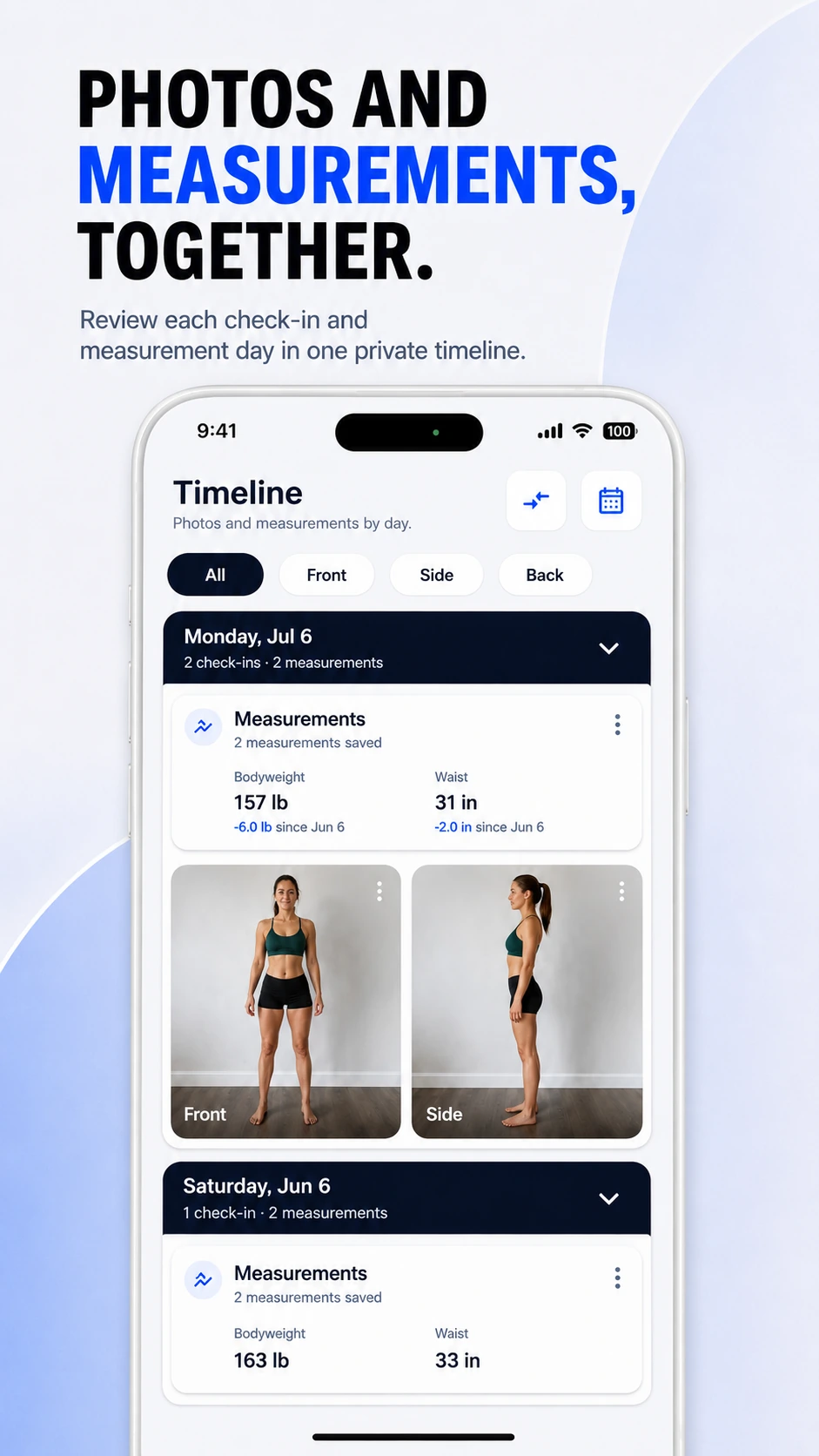
ProgressLens does not estimate body composition. Instead, it gives you a consistent record of photos and measurements so you can review your own trend without pretending one metric explains everything.
Compare front, side and back photos across weeks or months.
Track waist, chest, shoulders, arms, thighs and bodyweight.
Keep dates, photos and measurements together rather than across several apps.
ProgressLens is intentionally focused: it records the photos and measurements you choose, keeps them organized, and helps you compare your own history.
Look at recorded visual and measurement changes even if the scale moves little.
Keep check-ins through a training block without requiring daily logging.
Review changes across different phases in one history.
Build a private timeline you can keep over months or years.
Quick answers about using ProgressLens for this kind of progress tracking.
No. ProgressLens records photos and measurements but does not claim to calculate body-fat percentage from images.
People commonly record bodyweight, waist and consistent progress photos. Other measurements can be added if they are useful to you.
Photos can document visible changes while weight provides a separate numeric trend. Neither should be treated as a medical assessment.
Yes. ProgressLens is designed around matching labels such as Front, Side, Back and custom views.
ProgressLens is designed around personal progress tracking. Keep regular records private, create a local backup when you need one, and share a comparison only when you choose.
Download ProgressLens for iPhone or Android and keep photos and measurements in one place.